The Problem:
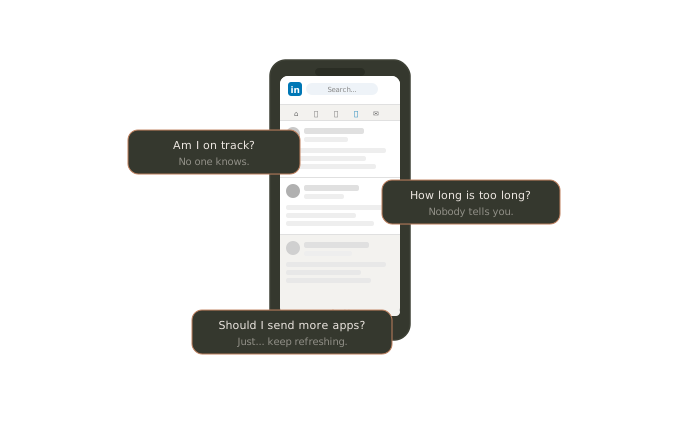
Job searching is a numbers game, but nobody gives you the numbers. You send applications, wait, refresh LinkedIn, and wonder: Am I on track? How long is this actually going to take?
There was no tool that gave an honest, data-driven answer to that question. Just vague advice and motivational posts.
No tool gave an honest, data-driven answer to that question. Just vague advice and motivational posts. I wanted to build something that told the truth.
The Idea:
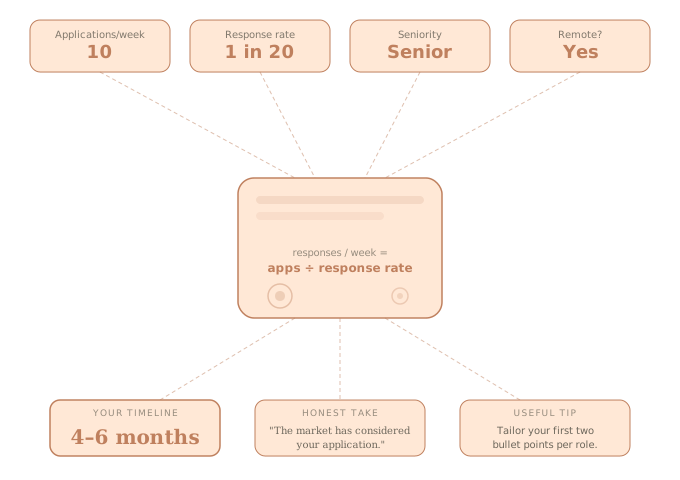
A calculator that takes your real job search data, applications sent, response rate, seniority level, and remote preferences, and returns an honest timeline estimate.
No fluff, no empty encouragement. Just math, with a dark sense of humour.
The concept was simple: make something genuinely useful that also made you laugh. Because if you're deep in a job search, you need both.
The Process:
Defining the Concept Before Opening Any Tool
Before writing a single prompt, I spent time thinking through the product: what it needed to do, who it was for, and what would make it worth sharing.
I mapped the core user flow, identified the inputs, defined the output structure, and decided on the tone. Dark humour was a deliberate product decision. It needed to be genuinely useful underneath the comedy, otherwise it would just be a joke with a form.
I also defined what this was not going to be: no user accounts, no saved data, no complex backend. A single-session tool that did one thing well.
Writing the Generation Prompt
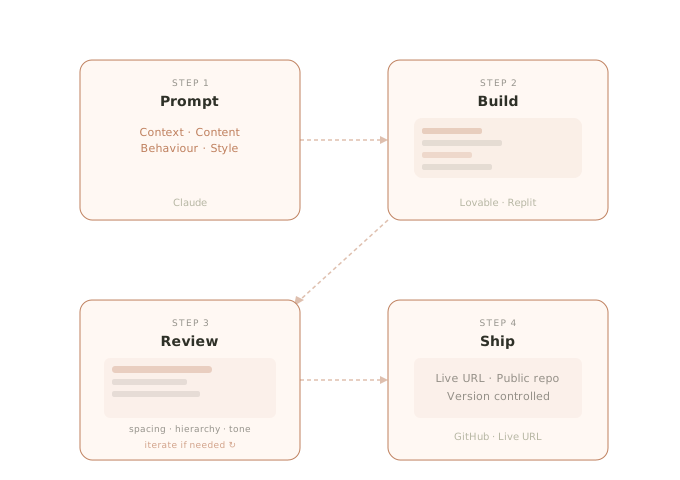
I used a four-layer prompt framework before building anything in Lovable:
Context: Who this is for, what it is, what the tone should feel like.
Content: Every question the form needed to ask, the structure of the result screen, the loading overlay messages, the share button behaviour, and the recalculate flow.
Behaviour: Fully responsive across mobile, tablet, and desktop. Loading overlay with rotating humorous messages cycling over 4 to 5 seconds. Form slides out, result slides in with a smooth transition. Share button copies a pre-written summary to the clipboard with a confirmation toast.
Style: Dark mode with a near-black background. Off-white body text. Vibrant accent colours for interactive elements, including buttons, selected chip states, and highlights. Focus states with a glow effect. Bold confident typography for headings, clean and readable for body copy.
First Build in Lovable
Lovable generated the initial version using React and Tailwind CSS under the hood. The first result had the right bones: all eight form questions present, chip-based selection for multiple choice inputs, a loading overlay, and a result screen with a timeline, one-liner, and tip card.
What needed immediate attention:
The colour palette was inconsistent, with multiple accent colours when the brief called for one dominant red
The heading "How Long Will Your Job Search Take?" had different colours applied to different words, which felt unintentional
The loading screen messages were cycling too fast to read
The result was hardcoded as "1 to 2 months" regardless of what the user entered
Visual Iteration Rounds
I ran each fix as a separate focused prompt rather than bundling them to avoid the AI making unintended changes to unrelated elements.
Colour system: replaced all accent colours across the entire interface with a single vibrant red, #C0392B. Changed the result screen cards' backgrounds to #C0392B at 20 to 25 percent opacity so the red tint was present but text remained readable. Adjusted the Share My Fate button to a secondary muted colour.
Typography: made the main heading fully white with no colour variation across words.
Loading screen: increased duration from under 2 seconds to 4 to 5 seconds so users could actually read the humorous messages. Reduced the rotating messages. Increased text size and brightness so the messages were fully legible against the dark overlay.
Spacing and hierarchy: Increased breathing room between the badge and heading. Increased the heading size and visual weight. Tightened the gap between the name, title, and location in the header block.
Fixing the Calculation Logic: This was the most significant technical fix. The AI had built the UI correctly but never wrote real calculation logic. I rewrote the entire calculation engine.
Replicating in Replit
I rebuilt the same project in Replit using the identical prompt set, which served two purposes: practising the same workflow in a different environment, and producing a second deployable version.
Replit introduced its own set of issues including the visual fixes from Lovable needing to be re-applied, and the loading screen messages sitting too close together and wrapping across lines. Fixed with a font size reduction and increased line height.
Version Control and GitHub
Connected the Lovable project to GitHub via the built-in integration. Every change pushed automatically, creating a commit history that reflects the real iteration process.
The Result:
Lovable
Replit
What I Learned:
Vibe coding is not about removing the designer from the process. It's about removing the bottleneck between idea and execution. My design background turned out to be a direct advantage: the clearer and more specific my prompts, the better the output. Component thinking, hierarchy, interaction states, I was already fluent in all of it. I just had to learn to express it in a new way.
This project confirmed something I believe strongly: AI fluency is becoming a core design skill. I'm actively building mine.